
WordPress Security Releases of August 2026: What Was Fixed and Which Version to Run Now
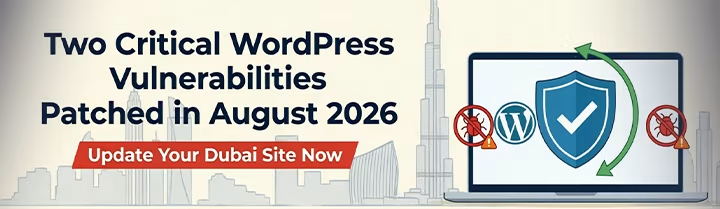
WordPress shipped two core security releases in August 2026, six days apart. WordPress 7.0.3 on 6 August fixed 12 vulnerabilities, including a login-page cross-site scripting flaw that affects every version of WordPress. WordPress 7.0.4 on 12 August fixed one more: remote code execution by a logged-in Author, on sites that use Imagick and Ghostscript. If your site has not updated since before those dates, it has publicly documented holes in it.
I have rewritten this post since it was first published, and the earlier advice is no longer right. It told you to update to 7.0.4. Since then WordPress 7.1 was released on 19 August, and on 17 September a further security release fixed 11 more issues. The old title also called both flaws "critical", but they are rated High, not Critical. I have also removed several statements the primary sources do not support, including a claim about how common Imagick and Ghostscript are on managed hosts.
Below you will find what each flaw needs to work, the fixed version for your branch of WordPress, what to do in the first hour, what to do if you cannot update yet, and how to confirm the fix worked. I checked the facts against WordPress.org's own announcements and the CVE records, and I say where I could not confirm something.
WordPress August 2026 Security Releases: What Was Fixed and What to Run Now
Which Version You Should Be On
WordPress backports security fixes to older branches, so the right version depends on the branch you run. The table shows the first release that contains both August fixes, and the latest security release from 17 September. I built it from the WordPress.org releases page on 20 September 2026.
| Your branch | First release with both August fixes | Latest security release (17 September) |
|---|---|---|
| 7.1 | 7.1 (19 August) | 7.1.1 |
| 7.0 | 7.0.4 | 7.0.5 |
| 6.9 | 6.9.7 | 6.9.8 |
| 6.8 | 6.8.8 | 6.8.9 |
| 6.7 | 6.7.7 | 6.7.8 |
| 6.6 | 6.6.7 | 6.6.8 |
| 6.5 | 6.5.10 | 6.5.11 |
| 6.4 | 6.4.10 | 6.4.11 |
| 6.3 | 6.3.10 | 6.3.11 |
| 6.2 | 6.2.11 | 6.2.12 |
| 6.1 | 6.1.12 | 6.1.13 |
| 6.0 | 6.0.14 | 6.0.15 |
Branches older than 6.0 also received matching releases back to 4.7, for example 5.9.16 and 4.7.35 for the August fixes. The 7.0.4 announcement says the fix reached 7.1 RC3, and 7.1 was released a week later, which is why I list 7.1 as covered.
One warning before you pick a row. The CVE record says the backports are "a courtesy to users on older branches", and WordPress's own announcements say only the most recent version is actively supported. If you can, move to the current release, 7.1.1, after testing on a staging copy. If a plugin or theme keeps you on an older branch, take the newest security release for that branch and plan the upgrade.
Flaw 1: The Login Page Cross-Site Scripting Issue (7.0.3)
This one is tracked as CVE-2026-64638. The record describes a pre-authentication reflected cross-site scripting flaw on the login screen that affects all versions of WordPress until the fix. Pre-authentication means the attacker needs no account. Reflected means the harmful script comes from a crafted link and runs when someone opens it.
The number 8.9 has been widely repeated, so here is what it is. It is a CVSS 4.0 score published by HackerOne, which assigned the CVE. NVD had not analysed the record when I checked on 20 September, and WordPress's announcement gives no score. It is rated High. Its vector marks the attack complexity as high and the user interaction as active, which matches the description: it needs "successful social engineering of and explicit interaction by the target victim". The description also says the flaw can be escalated to remote code execution "with conditions outside of the attackers control". So the risk is real, and it is not something an attacker gets just by finding your site. Someone has to be tricked into opening a crafted link.
I have removed two statements from the first version. It listed specific things an attacker could do with the script, such as stealing session tokens, and it said a compromised ad network could deliver the link. Neither appears in the sources. Generic cross-site scripting can do harm, but I will not describe more than the record says.
Flaw 2: The Author-Level Upload Flaw (7.0.4)
This one is CVE-2026-65640. WordPress's 7.0.4 announcement describes "authenticated Author+ remote code execution via malicious file upload on sites that use Imagick and Ghostscript". The CVE record spells out the prerequisites: Imagick and Ghostscript in use on the server, and a user with the upload_files capability. It is scored 8.8, High, under CVSS 3.0. That is a different CVSS version from the login flaw's 8.9, so the two numbers should not be compared directly.
WordPress's roles documentation shows the upload_files capability belonging to Administrators, Editors and Authors by default, and not to Contributors or Subscribers. So the people who matter are your Author accounts and above, including any client logins, guest writers or former staff that were never removed. Sites can change these capabilities, so check yours.
I said in the first version that Imagick and Ghostscript are common on managed WordPress hosting. I have no source for that, so I removed it. You can check your own site in a minute, as described below.
The Other Eleven Fixes in 7.0.3, and September's Release
The 7.0.3 announcement lists the rest: stored cross-site scripting by Contributors in several places, a privilege escalation on multisite installs that allow registration, information disclosure in the Latest Comments block, post slug enumeration, disclosure of comment feed notes, a CSS injection through a filter bypass, an email confirmation bypass and server-side request forgery in URL validation. None of those carries a CVE number in the announcement, and I have not checked whether separate records exist, so I do not rate them.
The 7.1.1 release on 17 September fixed 11 more security issues, among them a stored cross-site scripting flaw in a text formatting function, a crafted link that could install a theme, a path traversal in the REST API and a Contributor-level overwrite of posts. That is the reason the first version's target of 7.0.4 is out of date.
Is Anyone Exploiting These?
I checked CISA's Known Exploited Vulnerabilities catalogue (version 2026.09.18) and neither CVE is listed. That means CISA has not recorded exploitation of them. It does not prove nobody is trying, and I have no data on how many sites, in the UAE or elsewhere, were affected. Treat both as things to fix promptly, not as an emergency you have to solve tonight without testing.
What to Do in the First Hour
1. Find your version. In wp-admin open Dashboard, then Updates. You can also open Tools, then Site Health, then Info, and read the version under WordPress. Compare it with the table above.
2. Check whether the upload flaw can apply to you. On the same Info screen, expand Media handling. WordPress's Site Health documentation says it shows the active image editor, the Imagick and ImageMagick versions and the Ghostscript version. If the editor is Imagick and a Ghostscript version is listed, treat the upload flaw as applying to you.
3. Back up first. Take a full backup of the files and the database, and confirm you can restore it. If you have a staging copy, update that first.
4. Update. Use Dashboard, then Updates, or ask your host or developer to do it. Aim for your branch's latest security release, or the current version if you have tested it.
5. Review accounts. List everyone with the Author role or higher. Remove people who no longer need access. Fewer accounts that can upload files means fewer people who meet the prerequisites for the second flaw.
If You Cannot Update Right Now
Neither WordPress announcement documents a workaround, so I do not have an official one to give you. The fix is the update. If something blocks it, such as a plugin that breaks on a newer version, decide who owns the problem today: your developer or your host. Ask for a date, not a promise.
In the meantime, my own reasoning, not something WordPress documents, is that you can reduce exposure to the upload flaw by removing standing Author, Editor and Administrator accounts you do not need, since it needs one of them. Do not disable automatic updates as a way to avoid the problem. WordPress said sites that support background updates would begin updating on their own, and the Site Health screen warns you when background updates are not working.
How to Confirm the Fix
After the update, check the version again on the Updates screen and in Site Health. Then test the site: log in and out, open the login page in a private window, upload an image to the media library, and load your key pages and forms. If you run an online shop, place a test order. Look at Site Health's Status tab for new warnings. If anything breaks, restore from the backup you took and get help before trying again.
What to Do This Week
1. Get to a fixed version for your branch, and plan the move to 7.1.1 if you are on an older branch.
2. Confirm background updates work for security releases, or agree in writing who applies them and how fast.
3. Clean up user accounts and check who can upload files.
4. Set up staging and backups if you do not have them, so the next security release is a routine job.
Frequently Asked Questions
Next Step
If you are not sure your WordPress site is up to date, or you do not know who applies updates, my WordPress hosting and management service covers updates, backups, staging and monitoring. Send me the site address and I will tell you where it stands.
Related reading:

Written by Amir Sibaee
Google Ads & Media Buying Specialist · SEO/SEM · Marketing Automation ·...
More about Amir →Related Reading
-
 WordPress Security for Dubai Businesses: A Practical 2026 Checklist
-
 How to Choose a WordPress Developer in Dubai: The 2026 Buyer's Guide for UAE Businesses
-
 Managed WordPress Hosting in Dubai: What 'Managed' Actually Means in 2026
-
 WordPress Uptime & Speed: A Dubai Business Owner's Monitoring Checklist
Want this done for your business? See my Web Design services in Dubai.
Latest Posts
-
 OpenAI Ads Are Now Open in the UAE: What ChatGPT Advertising Costs, Who Qualifies and How to Start
-
 ChatGPT Custom GPTs: Personal Accounts Can't Build New Ones. What to Do With the GPTs You Already Rely On
-
 WhatsApp Service Messages Become Chargeable on 1 October 2026: What UAE Businesses Need to Do Now
-
 Canva AI Explained: A Practical Guide for Dubai Small Business Owners Who Aren't Designers
-
 TikTok Shop vs Instagram Shopping in the UAE: One Is Not Open Yet, So Where Should You Sell First?
Get a Growth Plan, Not Just a Quote
Seeking expert digital marketing, web design, or graphic design in the UAE? Let's discuss your project and deliver tailored solutions for measurable growth.
Book Free Consultation